This tutorial is trying to answer a question that was posted originally by Tom on the forum. So, I suggest you to read the original post here. Our problem is to populate a given structure on the surfaces of spline base cage. The first answer comes in mind is to use Para 3d surface controller, […]
Triangulation using Para 3d Edit Poly
In this video you learn how to setup a triangulation with given triangle size on the faces of the Edit-poly object. you can also control the rotation and alignment of the gird in respect to the edge of polygon face.
Populate using Mesh controller and FFD
Use Para 3d Mesh-controller and FFD modifier to populate any object on any polygon with quad faces.
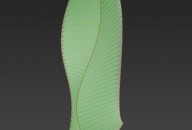
Loft surface in Para 3d
Create loft surface in Para 3d
Using shape objects in surface cladding
Image : King Abdullah Financial District Metro Station in Saudi Arabia Another example of using Shapes and surface controller + sub-object offset controller.
Diagonal surface subdivision
image: CVDB Arquitectos’ Ljubljana National Library In this video you will find out how to use simple spline shape to create surface subdivisions in diagonal direction. Also you learn how to use “delete mesh ” modifier to create a random subdivision effect.
Blend custom patterns
This tutorial demonstrate use of Blend controller to change the pattern of surface cladding.
Animated surface paneling
In this video we learn how to use an animated parameter to create a dynamic surface paneling.
Random curves on a surface.
This is an advanced tutorial in Para 3d which demonstrate the usage of logic , test and condition controllers. Image courtesy of Philip Michael Brown Download the Paraflow from here.
Trimming panels after surface paneling
Para 3d Surface controller does not deal with trimmed surfaces and non-quad polygons in boundary of a trimmed surface. To solve this issue you need to map the entire surface (untrimmed surface) and then trim the result geometry with the border you like. The process is still parametric if you use Para 3d compound node. […]
Recent Comments